Clipling

For iPhone

Learn English from the videos you love.

One quiet line of subtitles in your language, with the video's key English words left in. Tap a word and an AI tutor explains it out loud. Then it comes back during your day.

Coming soon to the App Store
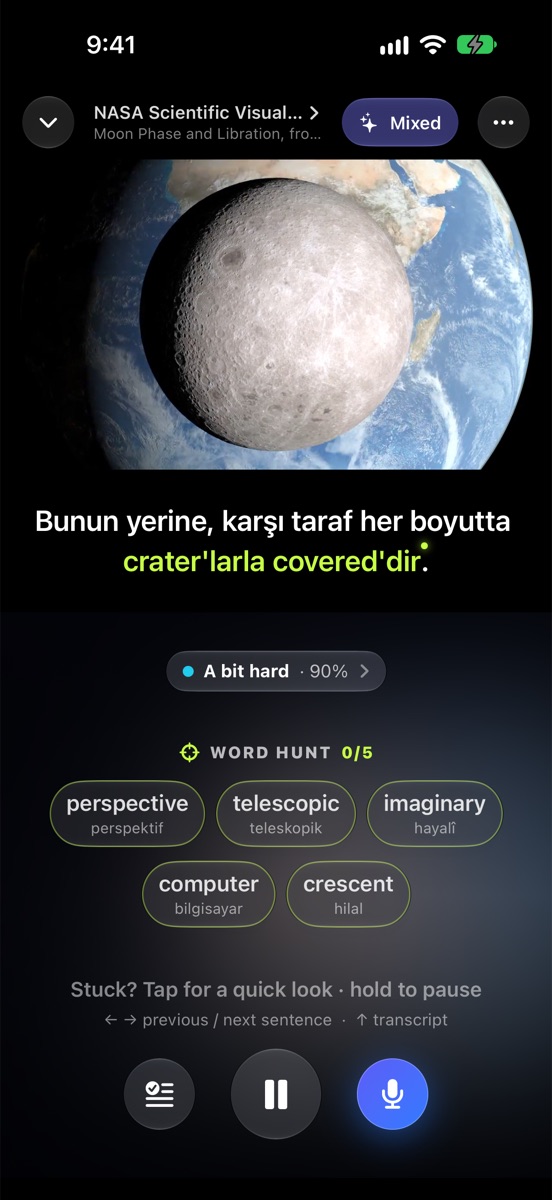
A video playing with one subtitle line in Turkish that keeps the English words crater and covered

Any video you love

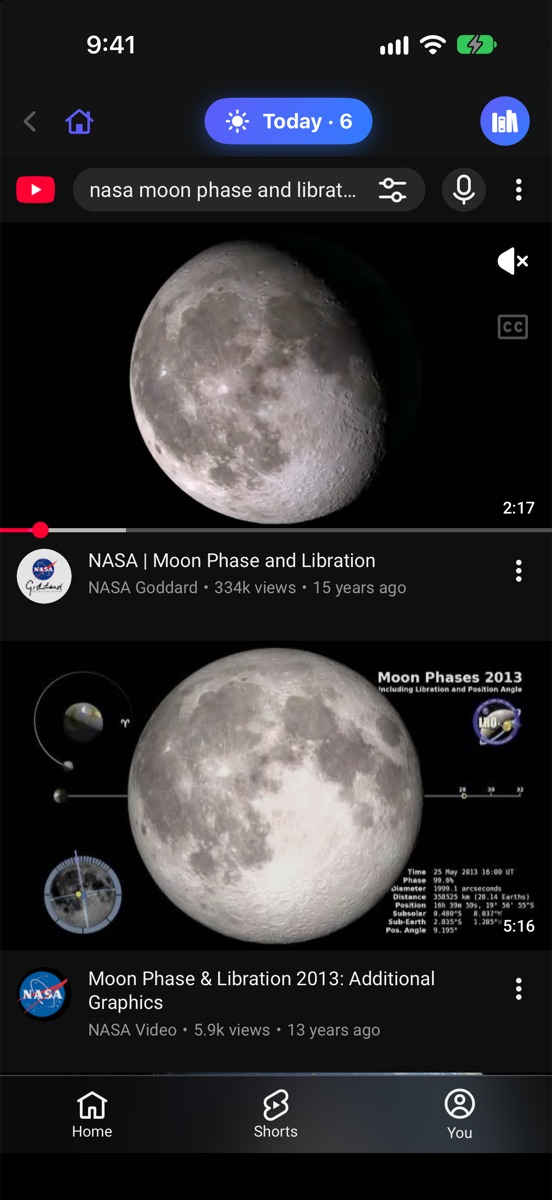
No catalog to choose from. YouTube opens inside Clipling: search, browse your channels, or share a link from the YouTube app. Tap any video and it becomes your English lesson.

  • Every channel, every topic: news, sport, cooking, music, science
  • Follow channels; their new videos wait in your library
  • Shorts and long podcasts work too
Searching YouTube inside Clipling: tap a video to open it with subtitles

Why Clipling

Your language is here

Subtitles, meanings and answers in 35 languages, Arabic and Persian included.

Any video, any channel

Browse YouTube inside Clipling, or share a link from the YouTube app.

Words come back

Today, the widget, reminders and Siri bring your words back during the day.

Eyes on the video

One line at most, and a ladder from your language to no subtitles.

No account

Nothing to sign up for. Your words stay on your iPhone.

Free stays free

Pro only adds. Nothing free ever moves behind a paywall.

Four ways to watch

One line at most, so your eyes stay on the video. When a step gets easy, Clipling suggests the next one. It never forces it.

✦
RECOMMENDED

Learn while you watch

Subtitles in your language, with the video's key words left in English. More of them as you get better.

≡

Just understand

One line in your language, like watching a film.

Aa

Learn by listening

One line in English. Tap any word for its meaning.

◎

Challenge your ears

No subtitles until you're stuck. Tap, and both lines appear.

In your language

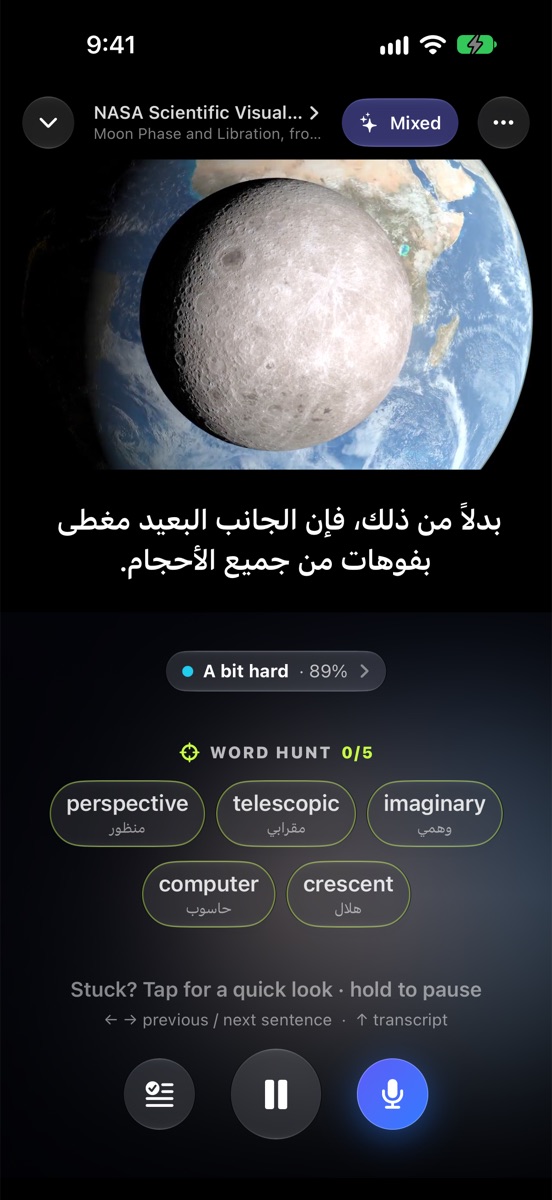
Subtitles, meanings and answers in 35 languages, right to left included. Ask in Arabic, get the answer in Arabic.

  • The video's own human translation first, when it has one
  • Word Hunt: the video's key words, with their meanings, before you meet them
The same video with Arabic subtitles and Arabic word meanings

A tutor for every word

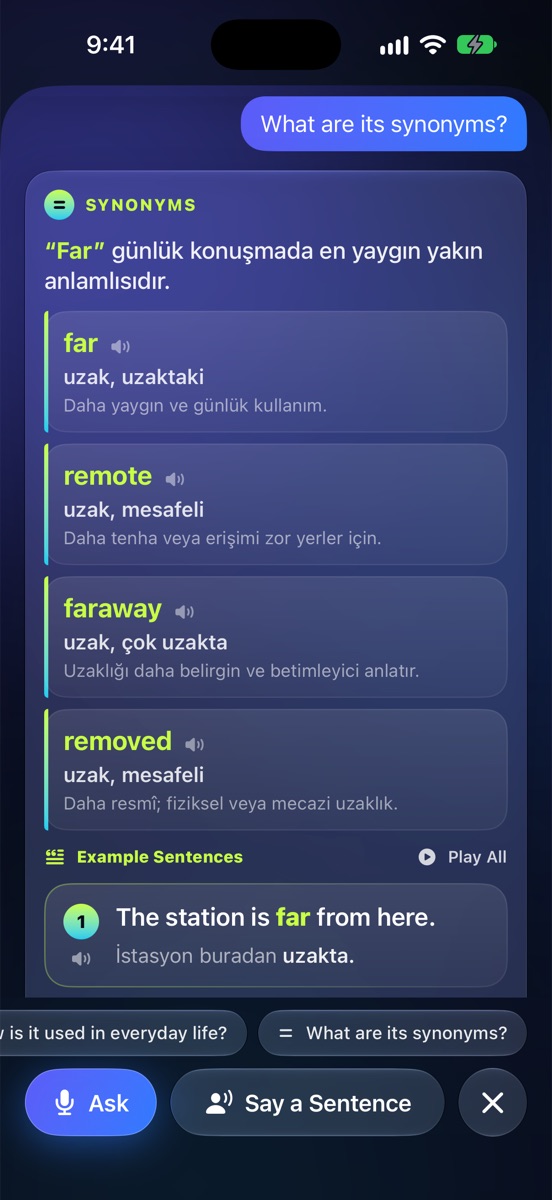
Tap a word you don't know. The tutor gives similar words, when to use each one and example sentences, read aloud in a natural voice.

  • Similar words and how they differ
  • Example sentences with your translation
  • Say a sentence of your own and get gentle feedback
The tutor listing similar words for distant: far, remote, faraway

Stuck? Hear it simpler

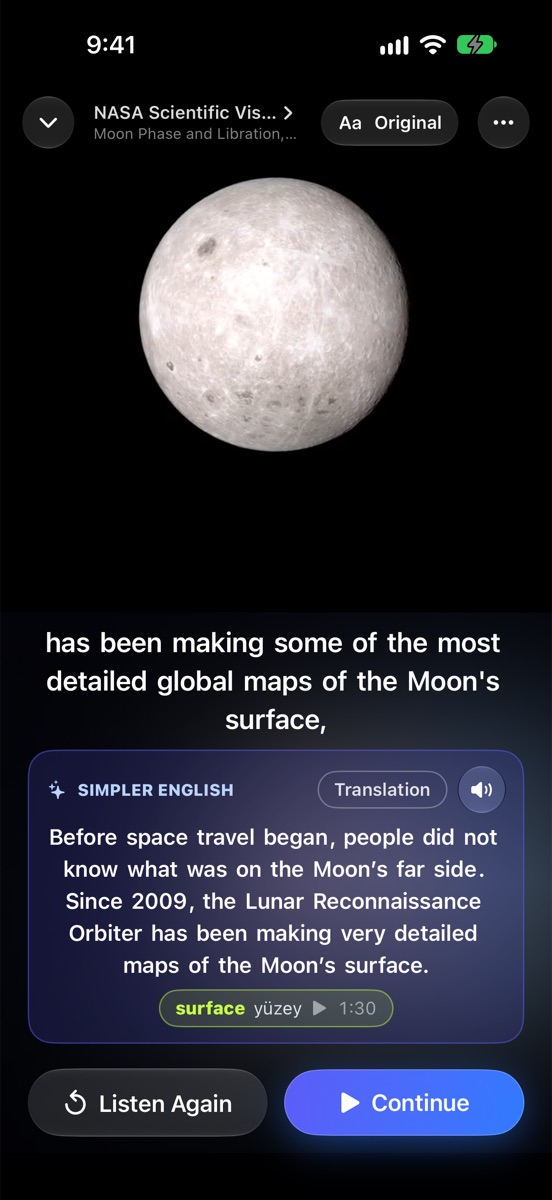
Any sentence, retold in easy English at your level, with the key word and its meaning. Then the video goes on.

A hard sentence retold in simpler English

Ask the video

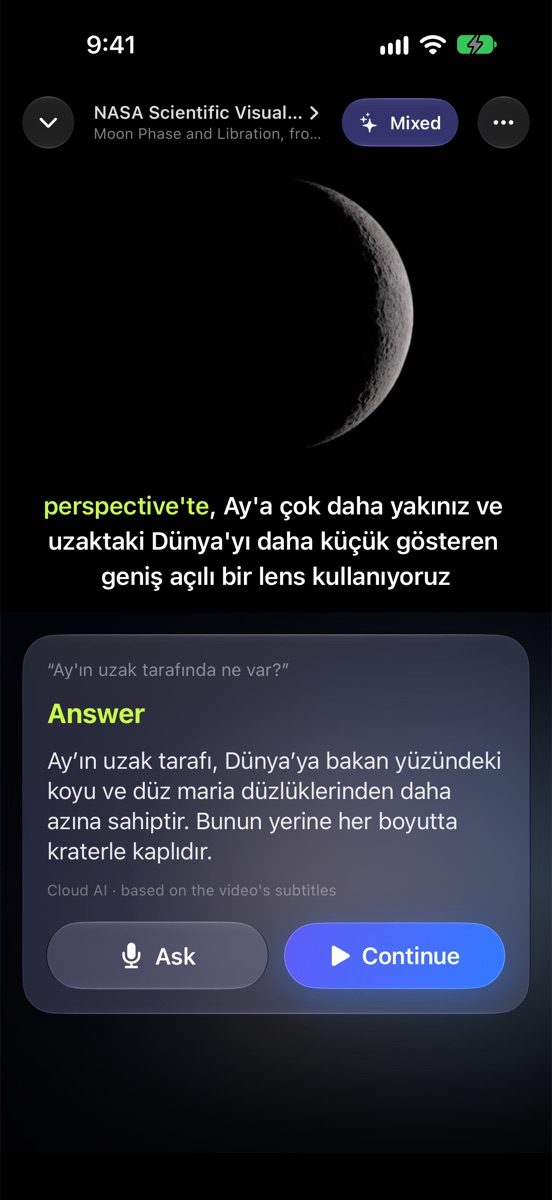
Tap the microphone and ask in your own language: "What's on the far side of the Moon?" The answer comes from what was said in the video.

  • "What did she just say?", "Summarize it", "Say it simpler"
  • On a walk, ask Siri how to say something in English
A spoken question about the video and its answer

Your words come back

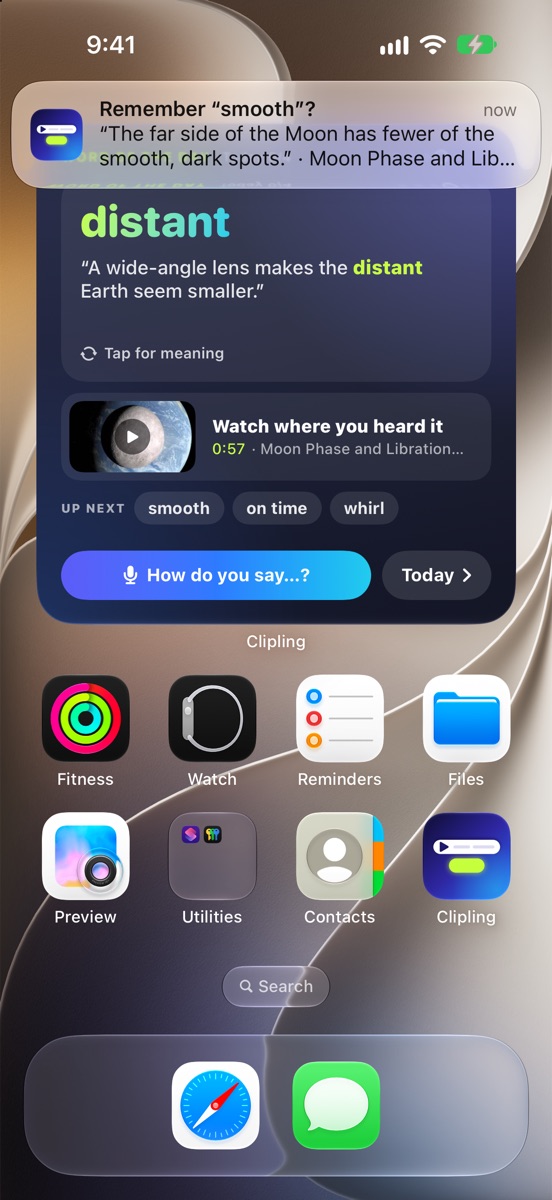
A word on your Home Screen with the sentence you heard it in, and a gentle reminder at the times you choose. Tap to watch the moment again.

  • Fewer reminders when you're busy. No streaks, no guilt.
The Home Screen widget with a word and a reminder notification

Use it in real life

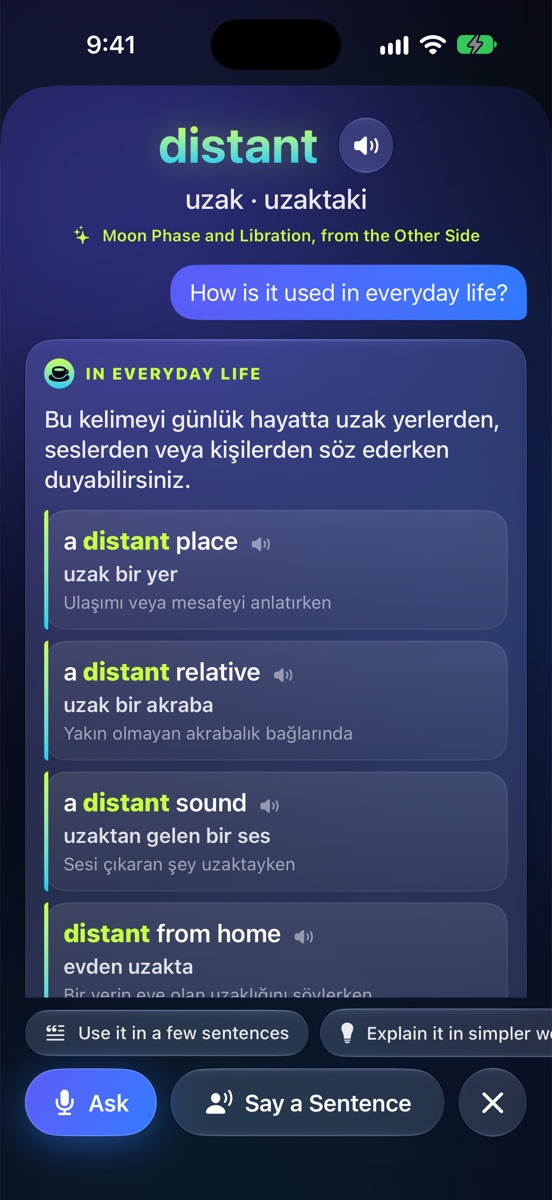
Every word comes with the everyday phrases people actually say, and a Word of the Day to use once: in a message, a meeting or to yourself.

Everyday phrases with the word distant

Free to learn. Pro when you want more.

What's free stays free. Pro only adds.

Free $0
  • Every video and channel
  • Both subtitles and the mixed line
  • Tap and keep words
  • Today, reminders and the widget
  • 3 AI answers a day
Pro $49.99 / year or $8.99 / month · first week free on yearly
  • Everything in Free
  • The tutor without a daily limit
  • Quick Practice after every video
Family $79.99 / year first week free
  • Pro for up to 6 people
  • Through Apple's Family Sharing

Prices in US dollars; the App Store shows your local price. Subscriptions renew until cancelled in your Apple Account settings.

Also on your computer

Clipling for Chrome brings the same one line and tap-to-keep to YouTube on your computer.

Coming soon to Chrome